Write your report directly in Microsoft Word with Qrtr Fix running as an add-in. No switching applications, no uploading files, no breaking your flow. Everything happens where you already work.
Assess on demand
Run Qrtr whenever you want to validate progress against requirements and standards. Check during drafting instead of discovering issues after you've already sent the document.
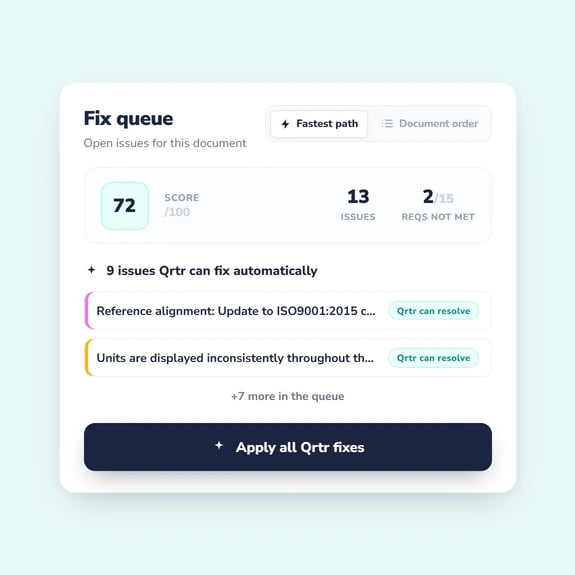
Work the Queue
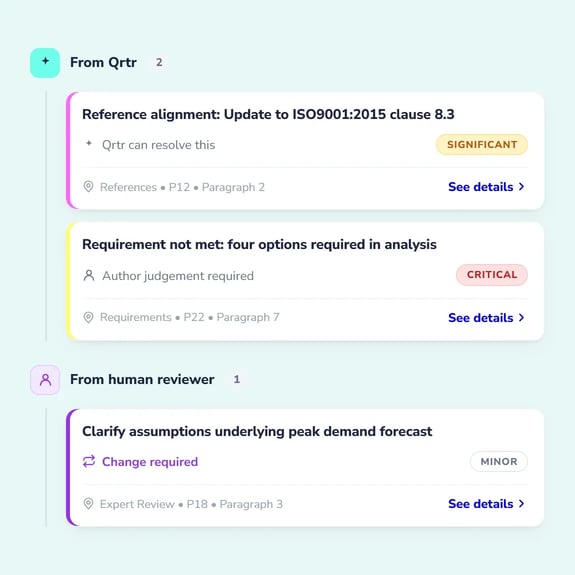
Every issue from Qrtr's systematic checks and human reviewer findings lands in one unified Fix Queue. Apply AI fixes with one click or resolve manually, tracking exactly what's left before submission.
AI Auto-fix
Apply one-click fixes for reference errors, formatting, reasoning errors and terminology. The fastest path from finding an issue to resolving it without leaving Word.
Issues from multiple sources
Your Fix Queue populates from both Qrtr's systematic checks and human reviewer findings. Every open issue tracked in one place regardless of who or what identified it.
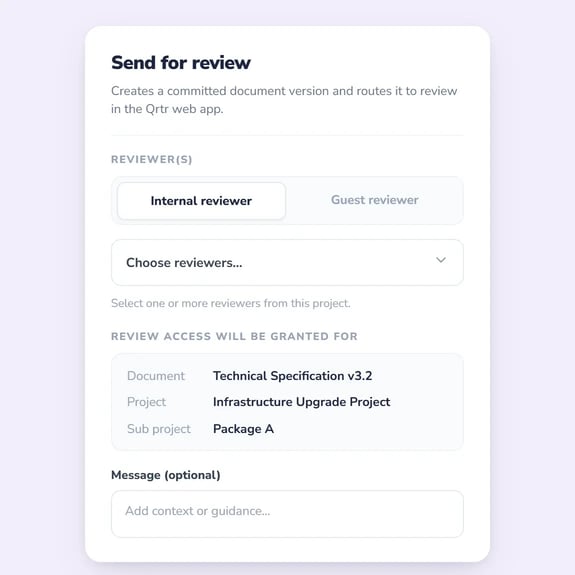
When your Fix Queue is clear, commit a clean version and send it for human review or approval. Every version tracked with complete issue history showing what was fixed and by whom.
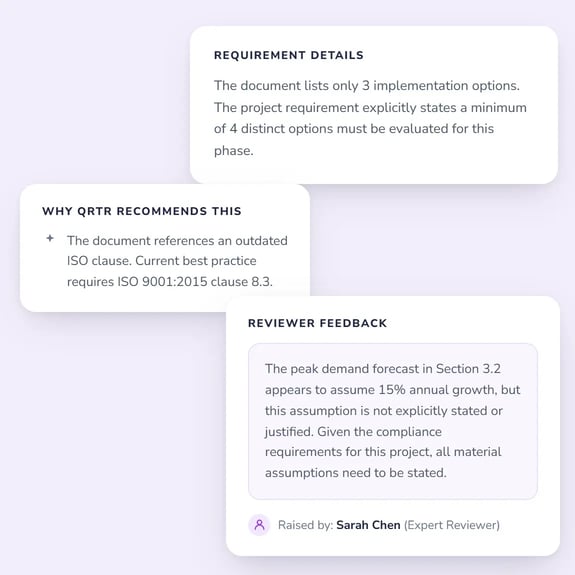
Built-in explanations
Every issue includes an explanation of why it matters and how to fix it. Junior staff learn what is expected as they write, reducing the burden on senior reviewers.
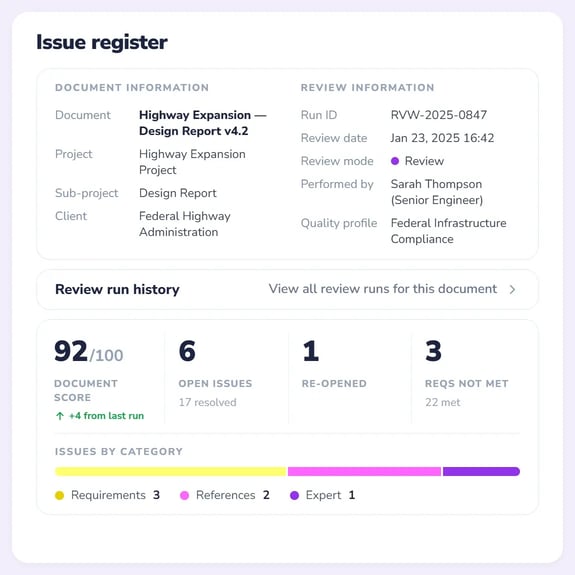
Audit-ready issues register
Complete issue history with timestamps and attribution, aligned with ISO 9001 and ISQM 1 requirements. Every fix documented, every decision traceable.
Purpose built for document assurance
Consistent results
The same checks produce identical results every time, regardless of who runs the validation or when. Eliminate the variability that comes with LLM-based tools where results change run to run.
Document-aware extraction
Advanced extraction understands document structure including tables, figures, headings, references, and appendices. Not just text analysis but true comprehension of how professional documents are organised.
Complete traceability
Every finding links directly to the specific requirement, rule, and document location that triggered it. Full audit trail with evidence chains that generic AI tools cannot provide.
Systematic validation across four dimensions
Requirements
Checks if every requirement is met. Catches gaps and issues automatically. Gives you confidence nothing's missed. Eliminates costly rework.
References
Validates every citation references the right clause with correct meaning. Catches misquotes and wrong versions. Reduces compliance risk before final review.
Reasoning
Flags unsupported claims and assumptions. Detects contradictions within the document. Ensures reasoning is clear, consistent, and defensible.
Style
Detects placeholders, filler text, and unfinished sections. Spots formatting drift. Enforces company style, terminology, and conventions.
Ready to see what Qrtr Fix can do for your business?




.png?width=50&height=50&name=Audit%20(1).png)


