Every deliverable, reviewed on one record
Authors, reviewers and approvers work on one Live Issue Register from first draft to sign-off. Insights show department leaders where time and risk sit.
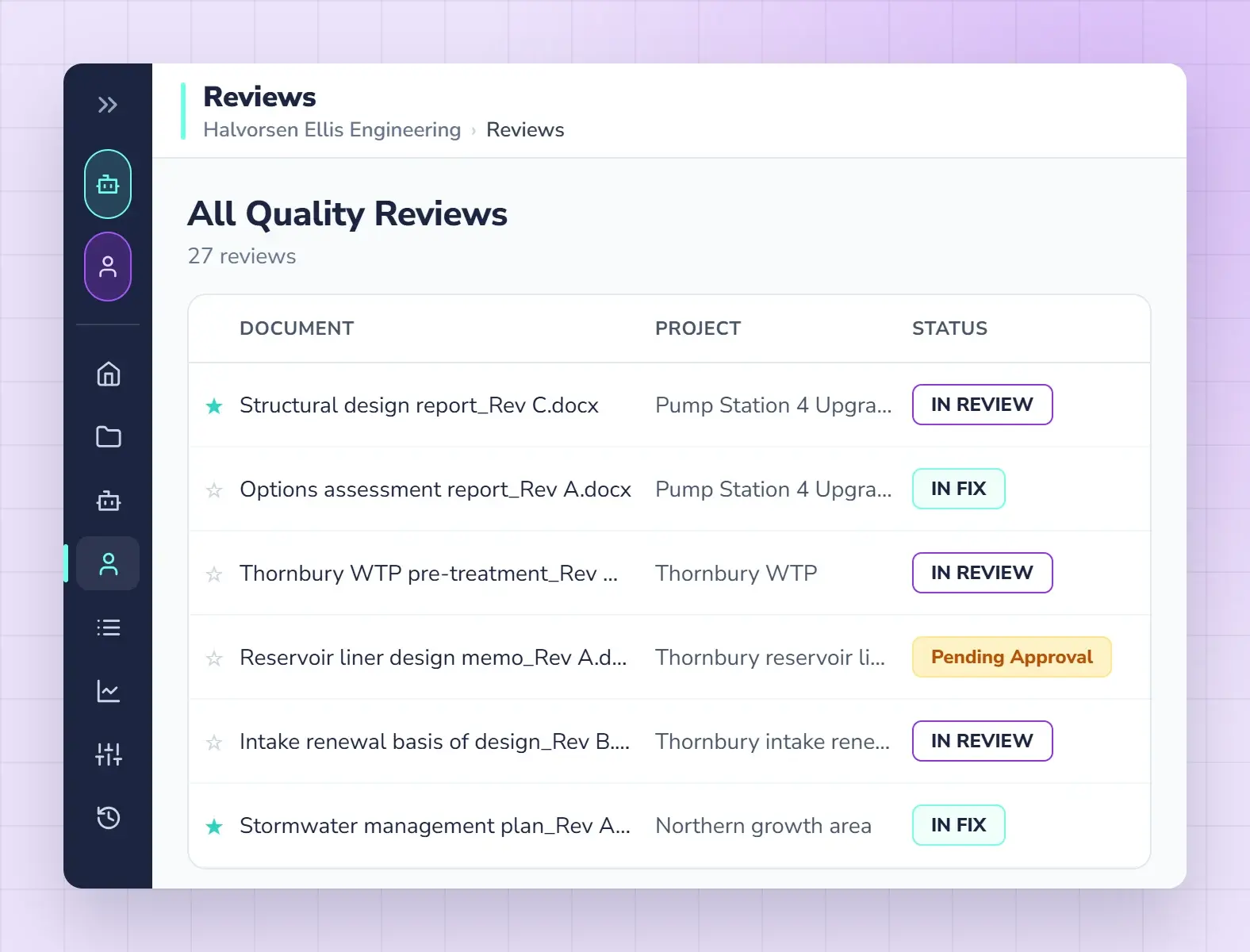
Built for the people who carry the risk
Author, reviewer, approver. One workflow
Qrtr follows the way your firm already signs off a deliverable. Each role works where it works best, and every step lands on the same record.
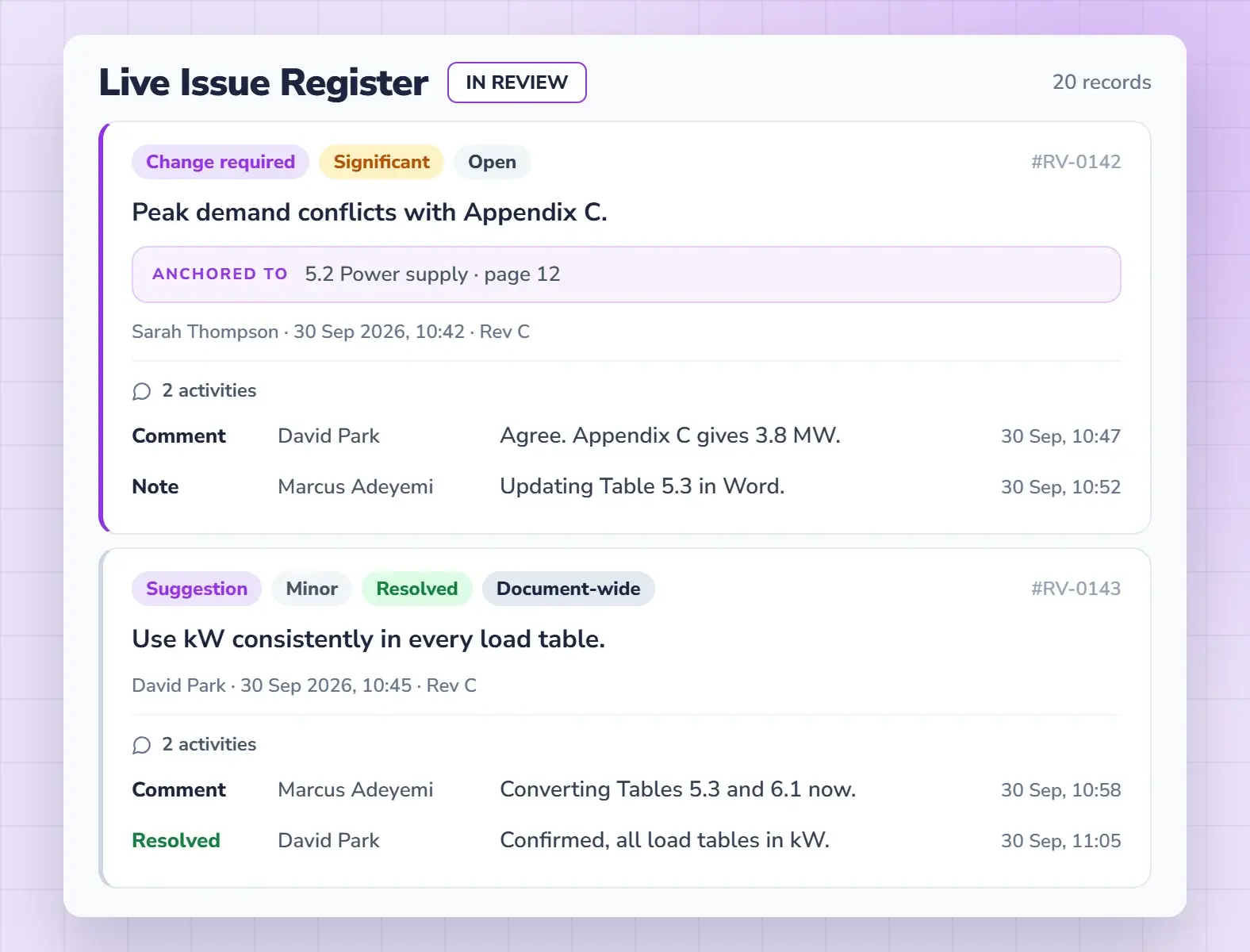
Know where every report stands
Every issue has an owner, a status and a history on one register. Nothing is lost in a marked-up copy, and nothing is approved with issues still open.
- Issues raised once, tracked to closed
- A sign-off record on every report
- A full audit trail across versions
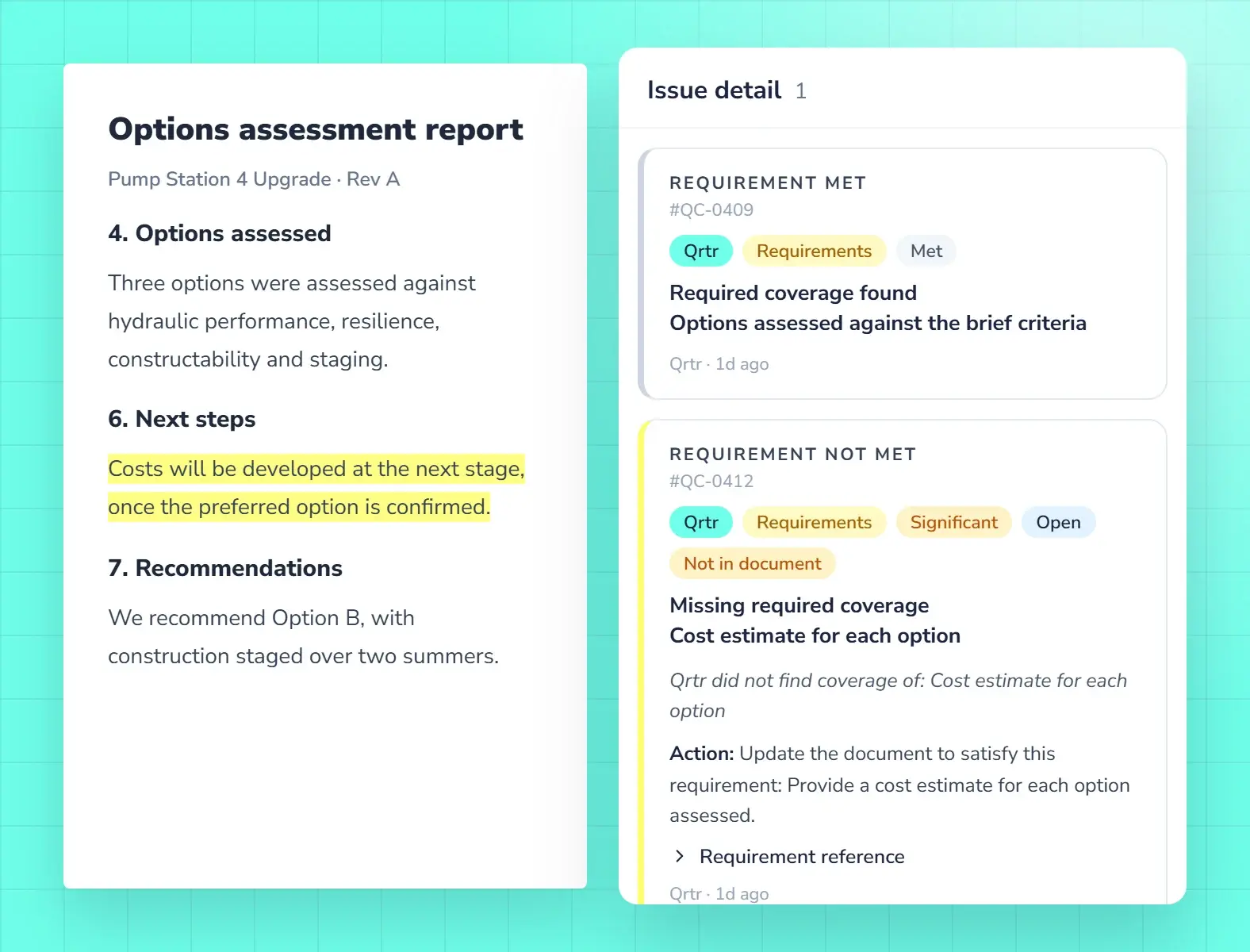
Pass your client’s check before they run it
When your client has a Quality Profile with Qrtr, run a Qrtr Check against it before you submit. Fix what is Not met while the report is still yours.
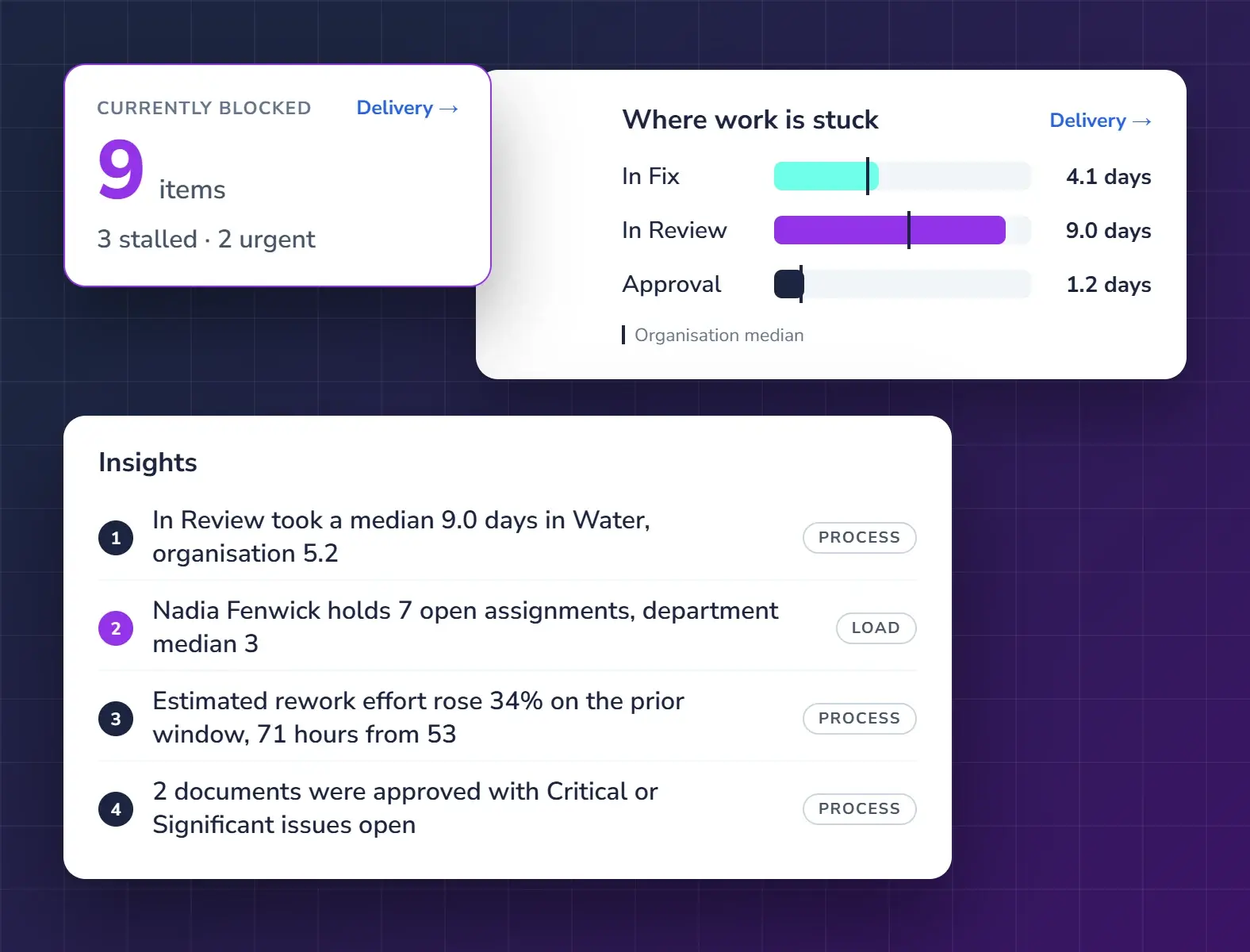
See where review time and risk sit
Find which reports are stuck, who is carrying the load and where training will help, by department, team, project or client.
- Bottlenecks and waiting time
- Review load across the team
- Training and improvement opportunities
Questions from consultancies
How does Qrtr fit how our engineers already work?
Authors keep writing and fixing in Microsoft Word through the Qrtr add-in. Reviewers and approvers work in the browser. Every issue stays on one Live Issue Register until sign-off.
Can we check a report against our client’s requirements?
Yes, when your client’s requirements are set up as a Quality Profile in Qrtr. Run a Qrtr Check against it before you submit.
What do department leaders get?
Insights show where review time goes, where reports get stuck and who is carrying the load, so leaders can act before deadlines slip.
Is there a trial?
Yes. Ask about a trial when you request a demo. Every trial includes unlimited users.
Also in Qrtr
See Qrtr in action
A 30-minute walkthrough of how teams review, fix and sign off reports.