Your requirements, checked on every report
Qrtr builds your Quality Profile
Qrtr turns your brief, specification or standard into a Quality Profile: the requirement set every report you commission is checked against.
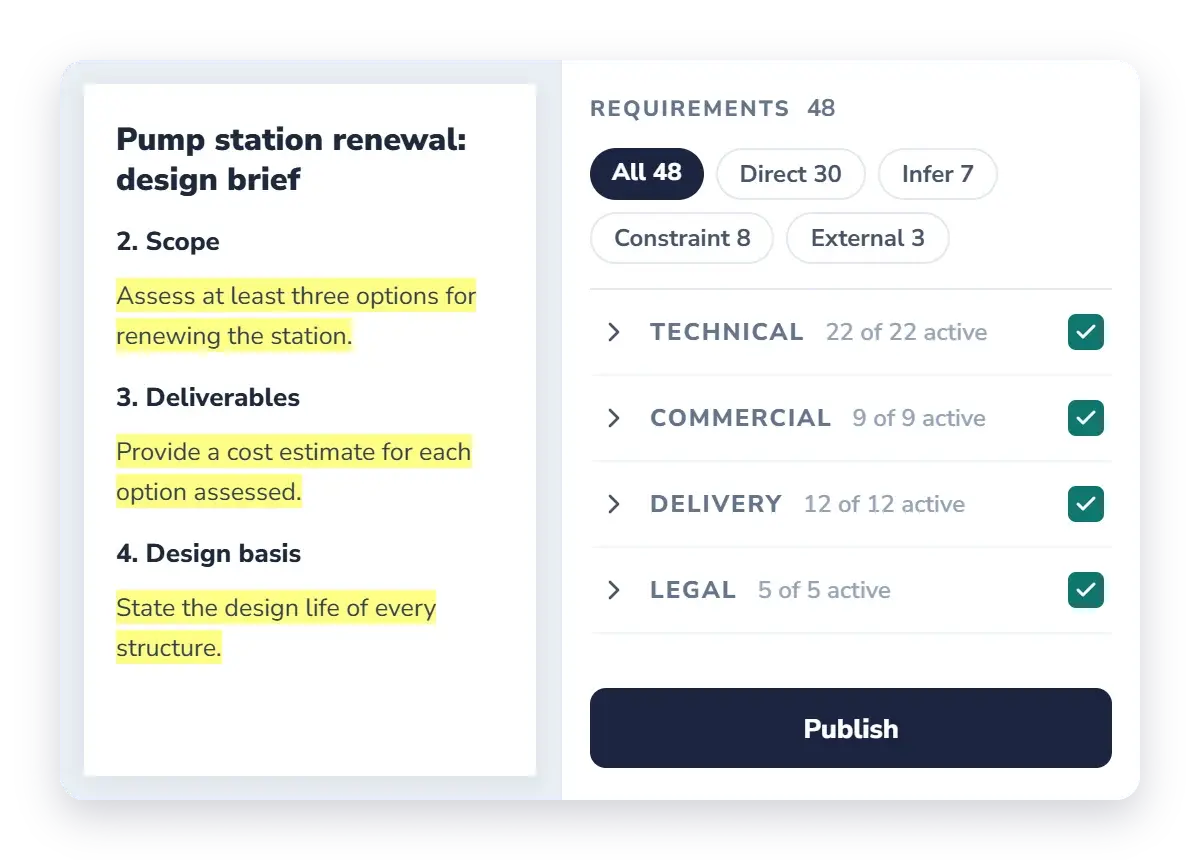
Your consultants check before they submit
We make your Quality Profile available to the consultancies you work with. They run a Qrtr Check against it before the report reaches you.
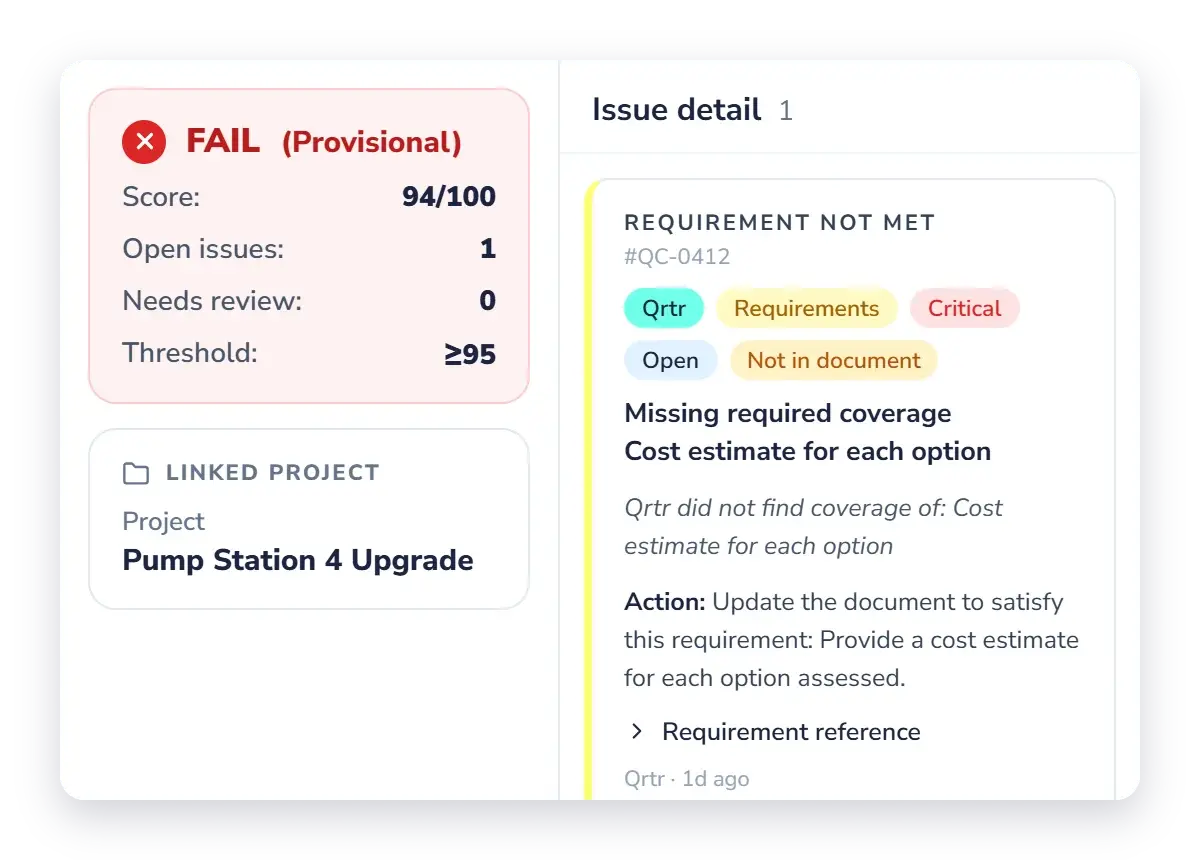
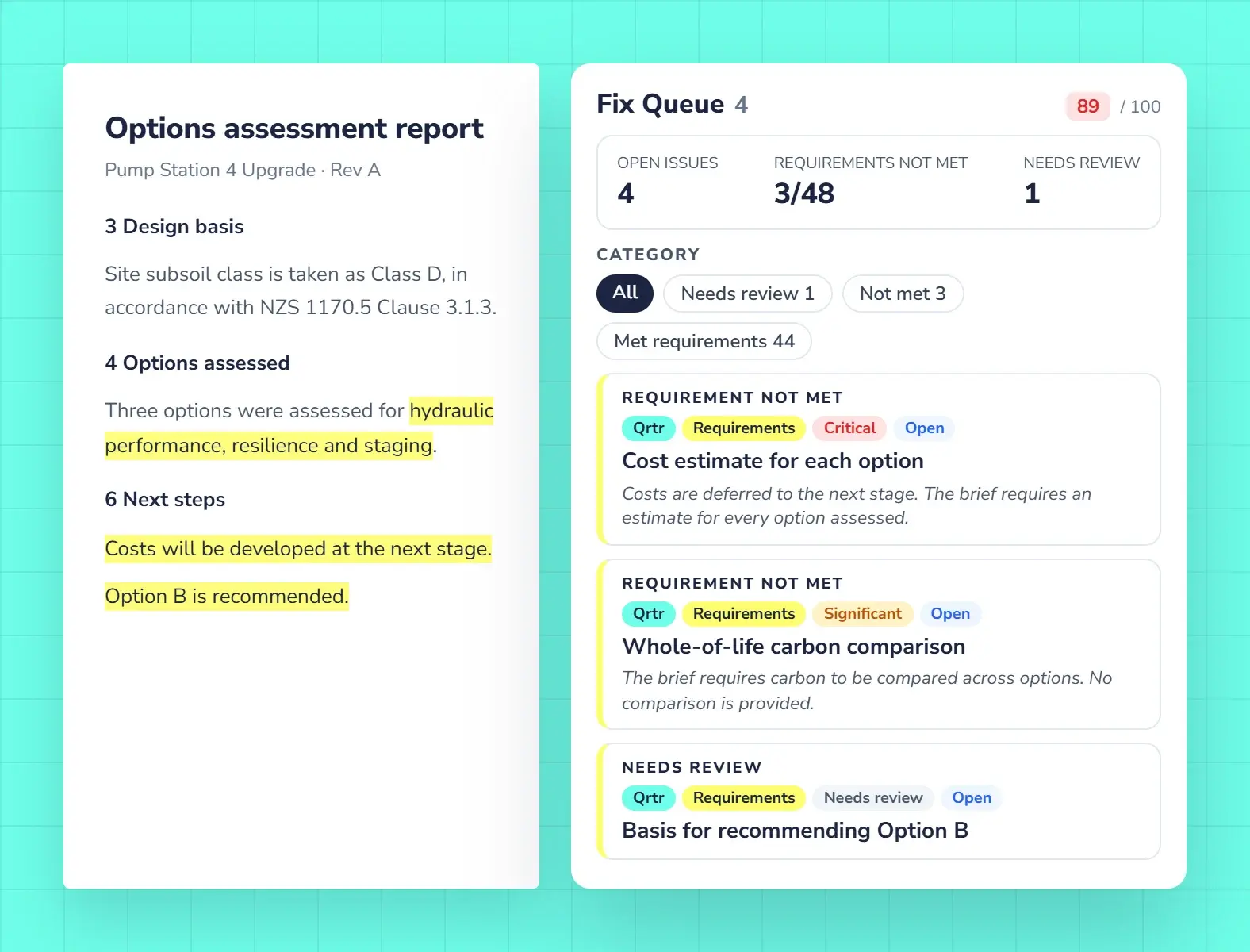
You check and review what arrives
Run the same Check on the report you receive, review it with your team in the browser, and send back one issue list.
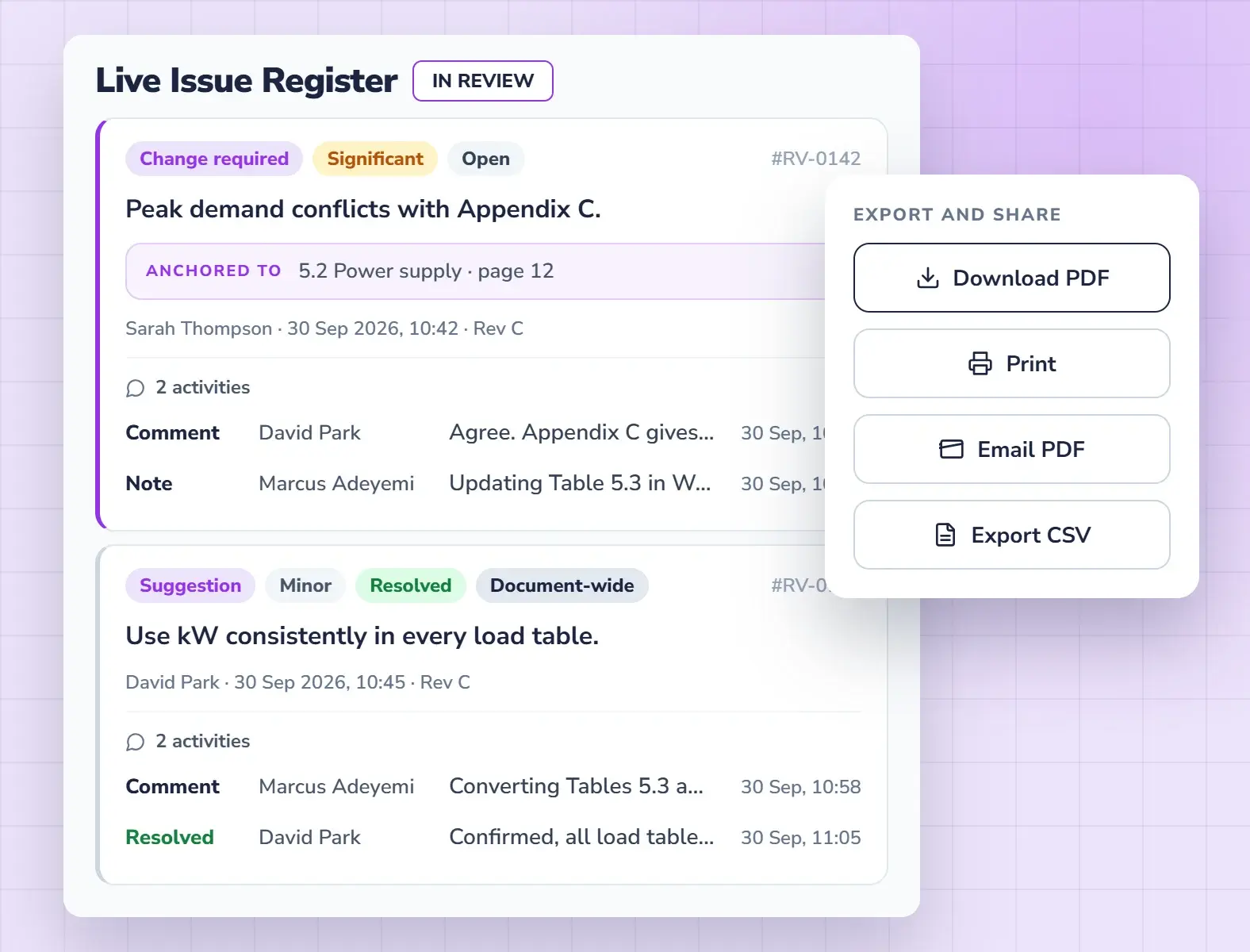
One issue list back to your consultant
Your engineers, planners and specialists review the report together in the browser, on one register. Nobody needs the Word add-in, because you are not the author.
- Several reviewers on one report
- Export the register as PDF or CSV
- Keep the record of what you raised and accepted
Share your Quality Profile with your consultants
Qrtr builds a Quality Profile from your brief or standard automatically. If you want your consultants to check against it, we’ll share it with the consultancies you nominate.
What’s coming
Questions from clients
What is a Quality Profile?
A Quality Profile is a requirement set built from your brief, specification or standard. Qrtr Check assesses a report against it and marks each requirement Met or Not met, with the passage it rests on.
Can my consultants check against my Quality Profile?
Yes. Qrtr makes your Quality Profile available to the consultancies you nominate, so they can run a Qrtr Check against your requirements before they submit.
Do my reviewers need Microsoft Word?
No. Reviewers work in the browser on a clean copy of a Word or PDF report. The Word add-in is for authors fixing issues.
How do I send issues back to my consultant?
Export the Live Issue Register as a PDF or CSV and send it with your response. Reviewing inside your consultant’s project is coming soon.
Do I have to build the Quality Profile myself?
No. Qrtr builds it from your brief, specification or standard automatically. If you want your consultants to check against it, we share it with the consultancies you nominate.
Also in Qrtr
See Qrtr in action
A 30-minute walkthrough of how teams review, fix and sign off reports.